Previewing with Dry Run
A 5-minute hands-on tour of --dry-run - rendered commands, branch verdicts, variable provenance, what-if previews
Requires v0.9.0+. Reference page: Dry Run.
Before you press enter on deploy or rollback, you want to know exactly
what is about to happen. --dry-run builds a plan - every step's rendered
command, every condition's verdict, every variable's winning precedence
layer - and executes nothing. This chapter is a hands-on tour; every output
below was produced by the real binary.
Setup: a realistic pipeline
Create a directory with this orchstep.yml - a deploy pipeline with the
three things that make plans interesting: a step output dependency, a
runtime-decided gate, and a variable-decided gate:
name: payments-deploy
desc: Deploy pipeline with gates

defaults:
  app: "payments"
  version: "1.4.0"
  replicas: "2"
  mode: "standard"
  registry: "registry.local"
  notify_list: ["alice", "bob"]

env_groups:
  prod:
    vars:
      replicas: "6"

environments:
  production:
    group: prod
    vars:
      registry: "registry.prod.internal"

tasks:
  deploy:
    desc: Build, push, roll out
    steps:
      - name: build
        func: shell
        do: 'echo "built {{ vars.app }}:{{ vars.version }}"'
        outputs:
          image_tag: '{{ result.output | regexFind "[a-z]+:[0-9.]+" }}'

      - name: push
        func: shell
        do: 'echo "docker push {{ vars.registry }}/{{ steps.build.image_tag }}"'
        retry:
          max_attempts: 3
          interval: 2s

      - name: gate
        if: 'steps.push.status === "success"'
        then:
          - name: rollout
            func: shell
            do: 'echo "kubectl scale deploy/{{ vars.app }} --replicas={{ vars.replicas }}"'
        else:
          - name: alert
            func: shell
            do: 'echo "ALERT: push failed for {{ vars.app }}"'

      - name: mode_gate
        if: '{{ eq vars.mode "canary" }}'
        then:
          - name: canary
            func: shell
            do: 'echo "canary rollout 10% for {{ vars.version }}"'
        else:
          - name: full
            func: shell
            do: 'echo "full rollout {{ vars.version }}"'

      - name: notify_each
        func: shell
        loop:
          items: '{{ vars.notify_list }}'
        do: 'echo "notify {{ loop.item }}: {{ vars.app }} {{ vars.version }} is live"'
    finally:
      - name: cleanup
        func: shell
do: 'rm -f deploy.lock'Every step is a harmless echo, so at the end you can run the task for
real and compare against the plan. (Both this workflow and the bigger
release example live in the repo under
examples/21-dry-run-plans.)
Step 1: the basic plan
orchstep run deploy --dry-runDRY RUN workflow=payments-deploy task=deploy
Build, push, roll out
VARIABLES (winning layer)
app = payments (defaults)
mode = standard (defaults)
notify_list = ["alice","bob"] (defaults)
registry = registry.local (defaults)
replicas = 2 (defaults)
version = 1.4.0 (defaults)
STEPS
1. build [shell] executes
| echo "built payments:1.4.0"
outputs: image_tag
2. push [shell] executes
| echo "docker push registry.local/⟨steps.build.image_tag⟩"
retry: up to 3 attempts, interval 2s
runtime-only: steps.build.image_tag
3. gate [if] runtime-decided
condition: steps.push.status === "success" -> runtime (depends on step outputs)
then [decided at runtime]
1. rollout [shell] executes
| echo "kubectl scale deploy/payments --replicas=2"
else [decided at runtime]
1. alert [shell] executes
| echo "ALERT: push failed for payments"
4. mode_gate [if] executes
condition: {{ eq vars.mode "canary" }} -> false
then [skipped]
1. canary [shell] skipped
| echo "canary rollout 10% for 1.4.0"
else [-> taken]
1. full [shell] executes
| echo "full rollout 1.4.0"
5. notify_each [shell] executes
loop: items: {{ vars.notify_list }} -> 2 iteration(s) [alice bob]
| echo "notify ⟨loop.item⟩: payments 1.4.0 is live"
FINALLY (always, after the steps)
1. cleanup [shell] executes
| rm -f deploy.lock
SUMMARY 10 steps, 8 execute, 1 skipped, 1 runtime-decided; 1 value(s) known only at runtime (shown as ⟨name⟩)
No steps were executed.Three things to notice:
pushrenders with a placeholder.⟨steps.build.image_tag⟩cannot exist without actually runningbuild- dry-run shows you exactly where runtime data flows into a command instead of guessing a value.gateis runtime-decided. Its condition readssteps.push.status, so the plan shows both arms, neither dismissed.mode_gategets a real verdict. Its condition only readsvars.mode, which is fully known at plan time:-> false, the canary branch and everything inside it markedskipped, the full-rollout branch-> taken.
Also note the loop: items come from a variable (loop items must reference
a variable - the runtime rejects literal arrays), and the variable is
plan-time known, so the loop expands to 2 iteration(s) with the items
previewed.
Step 2: watch the environment change the plan
orchstep run deploy --dry-run --env production --var version=2.0.0VARIABLES (winning layer)
app = payments (defaults)
mode = standard (defaults)
notify_list = ["alice","bob"] (defaults)
registry = registry.prod.internal (environment)
replicas = 6 (group)
version = 2.0.0 (runtime)The VARIABLES section now tells the whole precedence story: replicas
came from the prod group, registry from the production
environment, version from your --var (runtime, the highest
layer). And the rendered commands follow - the rollout inside the gate
now reads --replicas=6:
   3. gate  [if]  runtime-decided
        ...
        then [decided at runtime]
           1. rollout  [shell]  executes
| echo "kubectl scale deploy/payments --replicas=6"This is the fastest way to debug "which layer won?" across the 7-layer variable merge - see Environments & Variable Files.
Step 3: flip a branch with a variable
orchstep run deploy --dry-run --var mode=canary 4. mode_gate [if] executes
condition: {{ eq vars.mode "canary" }} -> true
then [-> taken]
1. canary [shell] executes
| echo "canary rollout 10% for 1.4.0"
else [skipped]
1. full [shell] skipped
| echo "full rollout 1.4.0"The verdict flips: canary is now taken, full rollout skipped. You just previewed a what-if - without touching anything.
Step 4: the machine-readable plan
orchstep run deploy --dry-run --output json | jq '.summary'{
"total_steps": 10,
"executes": 8,
"skipped": 1,
"runtime_decided": 1,
"delegates": 0,
"prompts": 0,
"unknown_values": 1,
"errors": 0
}The same plan as a structured document: per-step effect, rendered
commands, recorded unknowns, branch verdicts, loop expansion, and
per-variable source layers. Use it for CI gates ("fail the PR if the
plan contains errors") or plan diffing.
Step 5: prove nothing ran, then compare with reality
ls                               # only orchstep.yml - nothing was created
orchstep run deploy --env production # now run it for realThe real run's outputs land exactly where the plan's placeholders were:
⟨steps.build.image_tag⟩ becomes payments:1.4.0.
Step 6: the visual plan
orchstep run deploy --dry-run --env production --openThis writes orchstep-plan-deploy.html - a self-contained, offline visual
plan - and opens it in your browser.
Feel it before installing anything: this exact command, run against this chapter's workflow, produced this live example plan (opens in a new tab). It is the literal file the binary wrote, served as-is - switch the PLAN/GRAPH tabs, change themes, collapse branches; what you see is exactly what your terminal produces locally.
The PLAN tab:
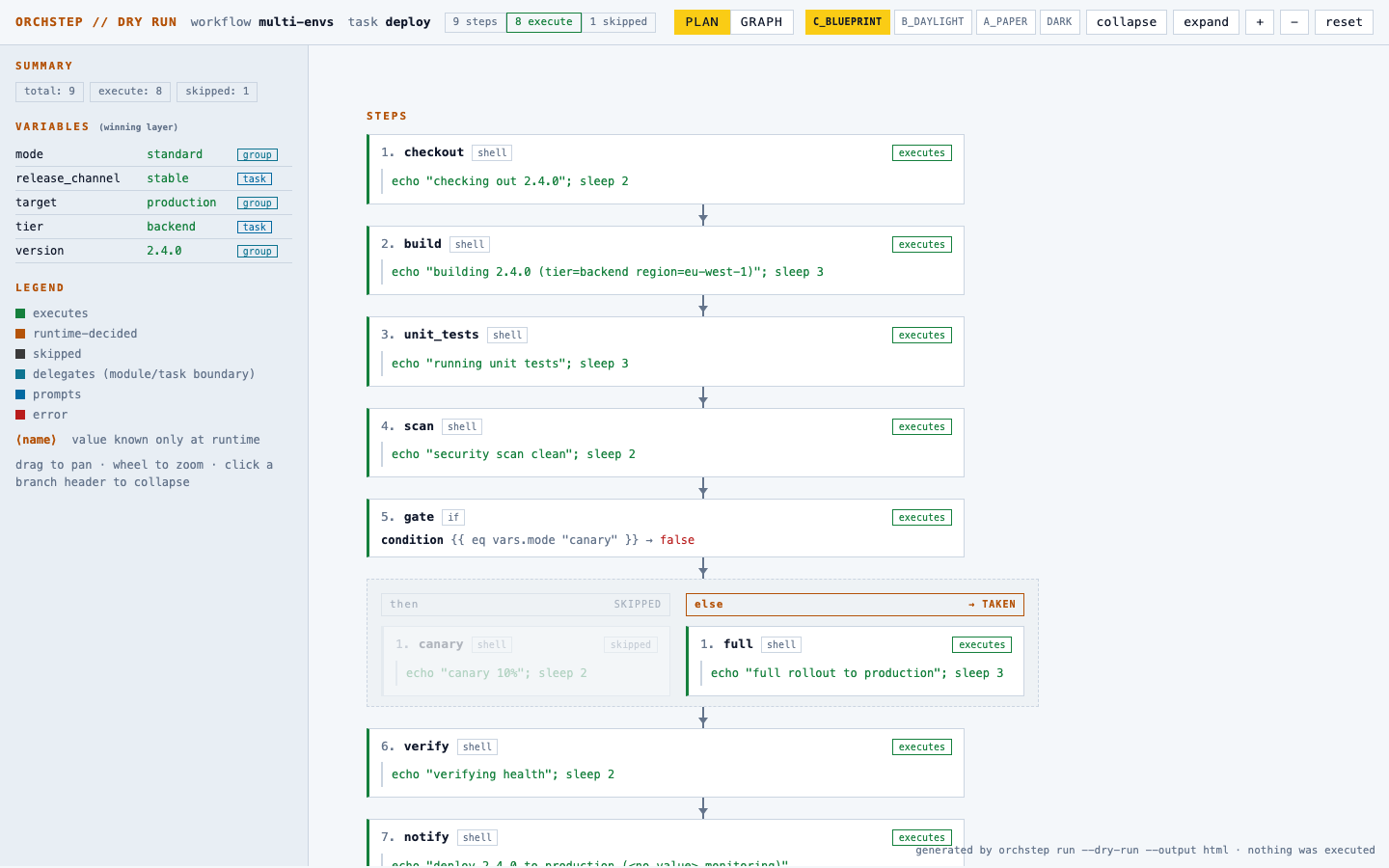
Everything you read in the terminal plan is now a diagram: rendered commands inside the nodes, placeholders as amber chips, the runtime-decided gate showing both lanes, the skipped canary lane dimmed, and the variable provenance table in the sidebar. Drag to pan, scroll to zoom, click a branch header to collapse it (or collapse/expand everything at once from the header). The page carries the same four color themes as this docs site. The file has no external dependencies and makes no network requests - safe to generate anywhere, including CI artifacts.
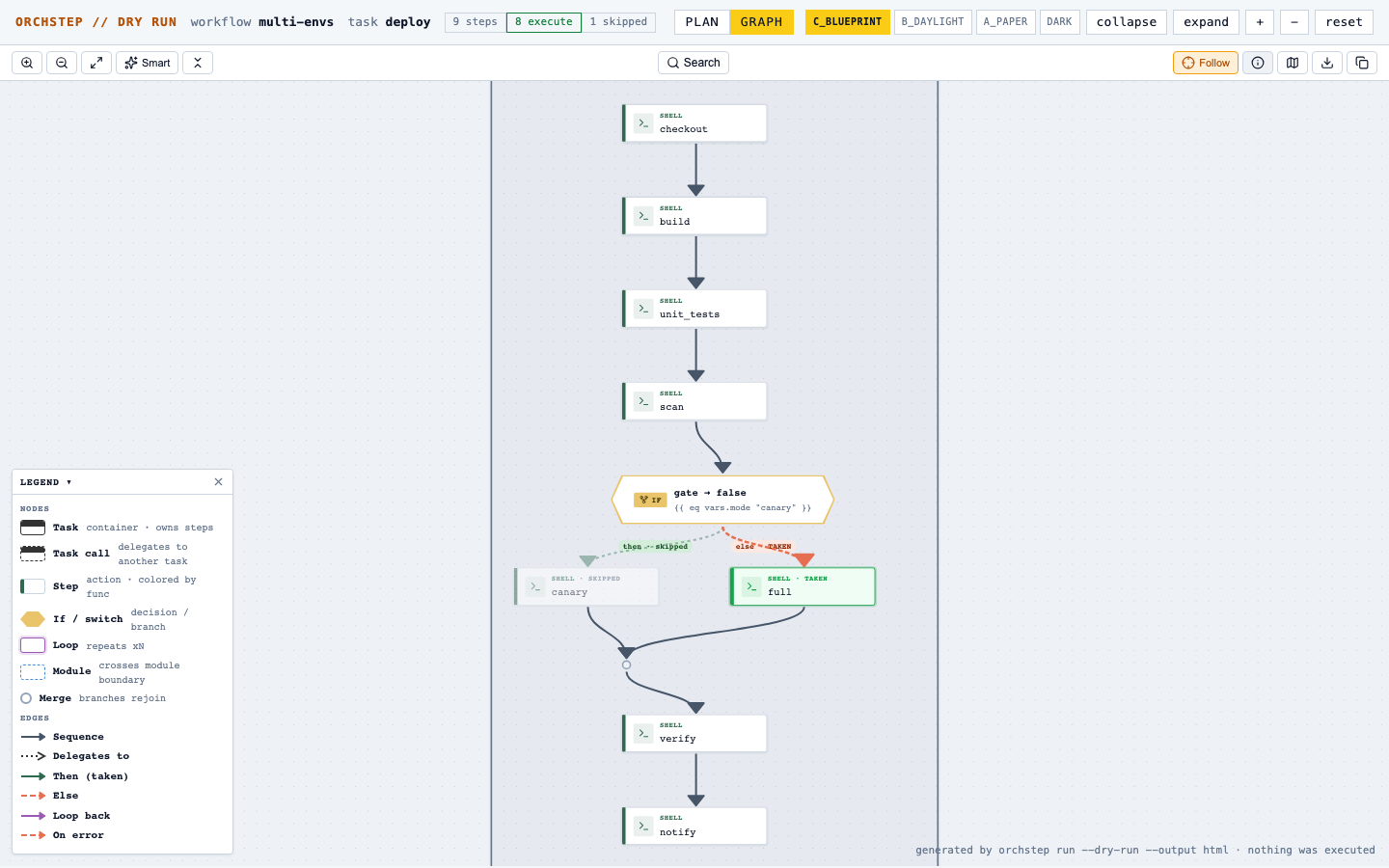
Prefer a graph? Click the GRAPH tab in the same page - it renders the identical plan as the interactive React Flow graph from the visualizer, embedded in the file and still fully offline:
Bonus: the plan is the whole machine
The tutorial pipeline is one task deep. Plans really pay off when a
workflow chains layers: this live example
plans a release pipeline spanning four task layers
(release → build_and_verify → publish_artifacts → _record_metrics)
with a release-type switch, rollout-strategy branching, a runtime-decided
health gate, test/registry loop matrices, a parallel announce fan-out and
a catch/finally rollback path - 31 steps, every command rendered, every
decidable branch decided (source on GitHub).
A single YAML file read in an editor cannot show you that chain; the plan
can, because the engine resolved it. That goes for modules too:
this example plans an app workflow
through a platform deployer module that itself calls a notifier
module - three repos-worth of layers, every config override and with:
parameter resolved
(source on GitHub).
Bonus: dry-run as a deeper linter
Because every do: and args: template is actually rendered, a plan
surfaces template mistakes before anything runs. Break a template on
purpose:
      - name: build
        func: shell
do: 'echo "built {{ vars.app | bogus }}"'orchstep run deploy --dry-runThe plan reports the step as an error with the template failure - a
mistake that would otherwise explode halfway through a real deploy.
Where to go next
- Dry Run reference - all behavior notes (transform scripts, prompt steps, module boundaries, JSON schema of the plan)
- Expression Playground -
evalanswers "what is this expression worth right now"; dry-run answers "what would this whole task do" - Environments & Variable Files - the variable layers that the plan's provenance column reports